Best BioRender Alternatives for Technical Overview Figures (2026)
Linda
Compare the best BioRender alternatives for technical overview figures in 2026, with a real Noah AI case from research prompt to corrected output.
BioRender is a familiar choice for life-science visuals, but it is not the only way to create a clear technical overview figure. The right alternative depends less on the size of an icon library and more on the work you need the tool to do: understand biomedical evidence, assemble scientific assets, map a technical process, support team review, or provide precise vector control.For researchers who want to move from a biomedical question to a reviewable first figure draft, Noah AI is the most distinctive alternative in this list. Mind the Graph is stronger for template-and-icon assembly. Lucidchart and FigJam are better for collaborative process diagrams. Bioicons with draw.io is attractive for an open, low-cost workflow. Adobe Illustrator remains the strongest option for expert-level vector finishing.
Quick answer: which BioRender alternative is best?
| Tool | Best for | Starting point | Typical final product |
|---|---|---|---|
| Noah AI | Evidence-aware biomedical figure drafting | Research question or technical prompt | Researcher-reviewable scientific figure draft |
| Mind the Graph | Scientific templates and illustration assets | Template, canvas, or icon search | Graphical abstract, poster, or scientific infographic |
| Lucidchart | Collaborative technical process diagrams | Process, system, or structured prompt | Editable team diagram or workflow |
| FigJam | Fast collaborative overview mapping | Brainstorm, template, or text description | Shared flowchart or early technical overview |
| Bioicons + draw.io | Open scientific icons and manual assembly | Open SVG asset search | Low-cost custom scientific diagram |
| Adobe Illustrator | Precision vector refinement | Existing sketch, raster draft, or blank artboard | Publication-quality vector artwork |
The best overall choice is therefore task-dependent. If scientific accuracy must be established before visual design begins, Noah has the strongest workflow fit. If the science is already settled and the job is to assemble a polished visual manually, an asset library or vector editor may be the better choice.
What counts as a technical overview figure?
A technical overview figure explains the structure of a complex subject at a glance. In biomedical work, that may be a clinical trial design, treatment sequence, mechanism-of-action overview, experimental workflow, disease pathway, platform architecture, or evidence map.The finished figure should do more than look scientific. A useful output should:
- preserve the correct entities, stages, arms, and relationships;
- distinguish the main workflow from conditional or secondary events;
- use labels that can be checked against source material;
- remain legible in a manuscript draft, presentation, or internal review; and
- make later correction possible without rebuilding the entire visual.
That is the real comparison standard used in this article. We are not asking which product has the most decorative assets. We are asking which product best helps a user produce a technically reviewable overview figure.
How we evaluated the alternatives
We compared each tool against five workflow criteria:
| Criterion | What we looked for |
|---|---|
| Scientific starting point | Can the workflow begin from a biomedical question or verified content? |
| Structural clarity | Can it show hierarchy, sequence, parallel arms, and conditional events clearly? |
| Domain-specific resources | Does it provide scientific evidence, templates, or relevant visual assets? |
| Review and revision | Can a researcher or team inspect and correct the draft efficiently? |
| Final-output control | Is the output suitable for a slide, manuscript draft, or downstream vector refinement? |
This is a workflow-fit comparison based on public product information, not a claim that one tool wins every illustration task. Capabilities, export rights, and plan limits can change, so teams should confirm the current product and licensing terms before publication.
- Noah AI — best for evidence-aware biomedical figure drafting
Most illustration tools begin with a canvas. Noah can begin with a scientific question.That difference matters when the user has not already converted the literature into a clean visual specification. Noah's Figure Generation workflow can retrieve biomedical sources, explain the structure it intends to visualize, generate an initial figure, and accept text instructions for local revision. The value is not simply text-to-image generation. It is the ability to keep research, figure logic, and revision inside one life-science workflow.
Real Noah case: correcting how crossover is shown in KEYNOTE-189
We used a real clinical trial design task based on KEYNOTE-189, the phase 3 study of pembrolizumab plus pemetrexed and platinum in previously untreated metastatic nonsquamous non-small-cell lung cancer.The requested final product was not a literature summary. It was a researcher-reviewable trial-design overview showing:
- the patient population;
- 2:1 randomization;
- pembrolizumab and placebo arms;
- four-cycle induction treatment;
- maintenance treatment;
- disease assessment and survival follow-up; and
- crossover as a conditional event after confirmed disease progression.
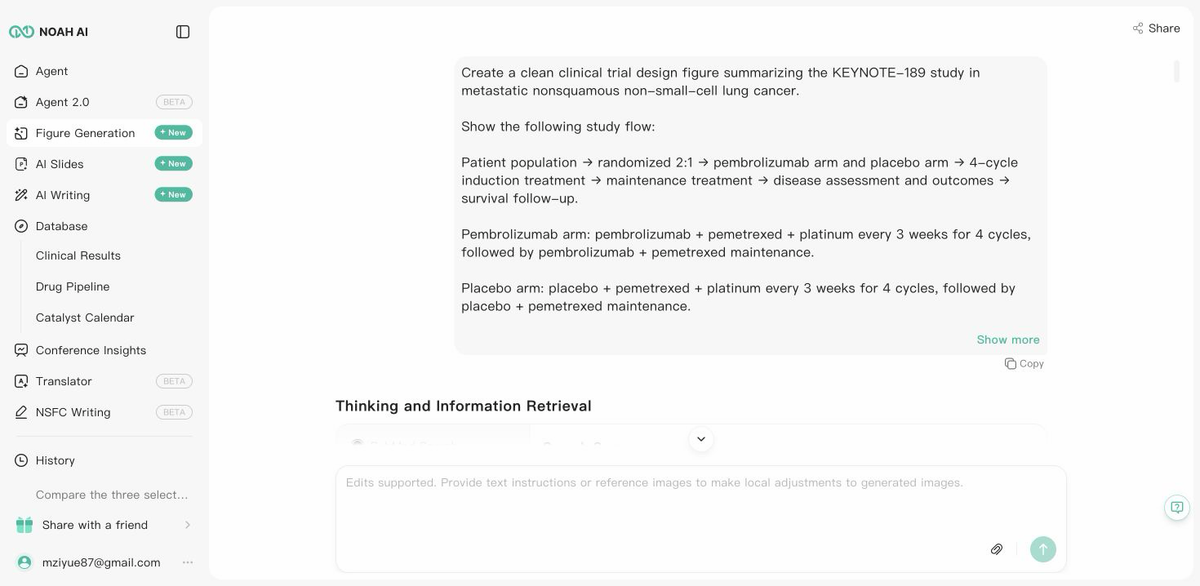
Figure 1. The Noah case begins with a specific technical deliverable and explicit constraints,Noah searched PubMed and ClinicalTrials.gov for the study design.
The retrieved evidence included the primary KEYNOTE-189 publication, the protocol-specified final analysis, and the trial registry record.
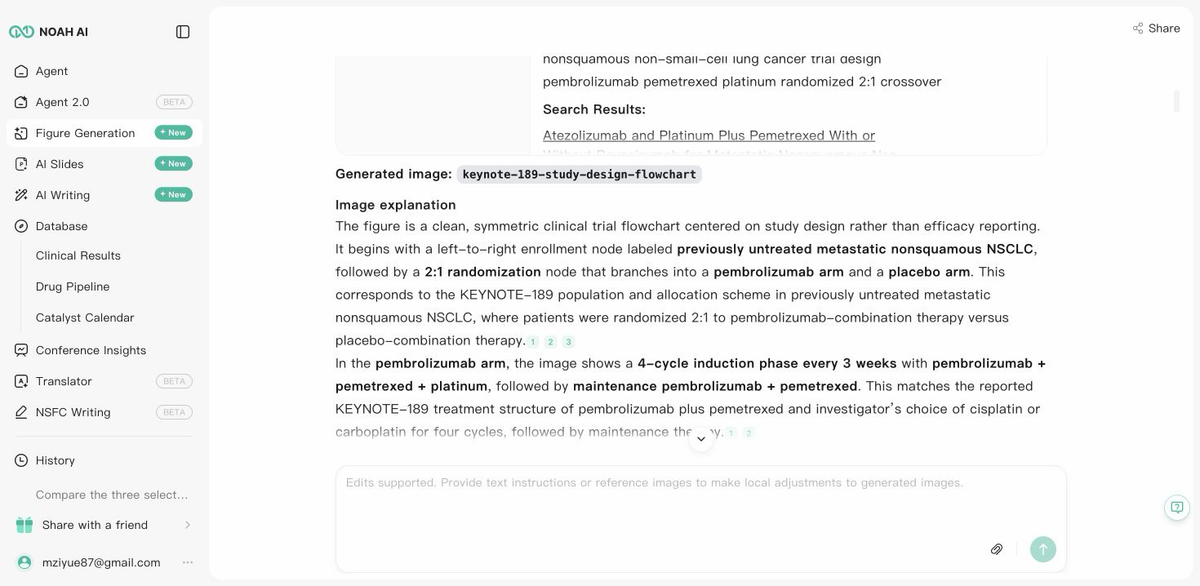
Figure 2. Noah keeps the evidence-retrieval step and figure explanation visible for review.
The important test came after the first draft. Crossover could easily be misread as a routine next step in the main study sequence. We therefore gave Noah a correction instruction: keep the main treatment flow intact, but move crossover into a separate orange note connected with a dotted arrow after confirmed disease progression.The revised output made the scientific distinction visible. The two treatment arms remain parallel and converge on disease assessment and follow-up, while crossover appears as a conditional annotation rather than a standard stage of treatment.
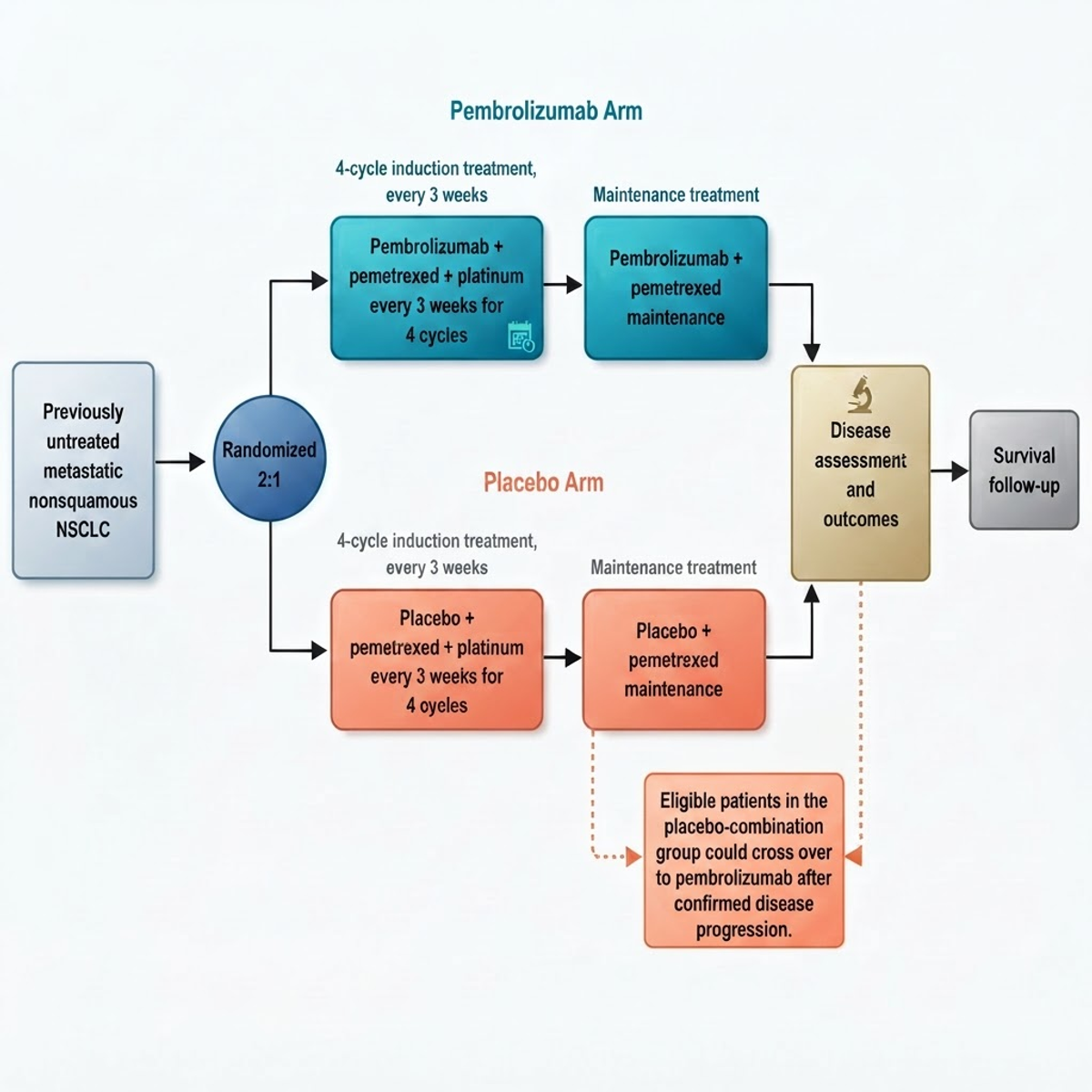
Figure 3. Final output: a clean, reviewable figure draft that separates the main study flow from conditional crossover.
What this case actually proves
The case does not prove that an AI-generated figure is automatically publication-ready or that researchers can skip source checking. Noah itself warns users to double-check generated images.It proves a narrower and more useful product advantage: a biomedical user can move from a technical question to an evidence-informed visual draft, identify a scientific-communication problem, and correct the visual logic through a natural-language revision. The final output is the evidence of the workflow's value—not merely the fact that the workflow contains a prompt box.
Where Noah fits best
Choose Noah when the figure still needs scientific interpretation before design. Typical use cases include clinical trial schemas, treatment pathways, evidence-backed mechanism overviews, and presentation-ready research drafts.Noah is less suitable when the task is detailed freehand illustration, exact journal production artwork, or pixel-level vector finishing. Those remain better handled in a dedicated graphics editor after scientific review.
- Mind the Graph — best for scientific templates and illustration assets
Mind the Graph is a strong alternative when the user already understands the scientific story and wants a domain-specific design environment. Its public product page emphasizes scientific figures, graphical abstracts, infographics, posters, and slide presentations, supported by a large scientific illustration library and hundreds of templates.Choose Mind the Graph when the main bottleneck is visual assembly: locating accurate-looking science assets, adapting a graphical abstract template, or producing an infographic without learning a professional vector application.Compared with Noah, Mind the Graph is more canvas-and-asset-first. It helps users build the visual once they know what belongs in it. Noah is more differentiated when the content itself must be retrieved, structured, and explained before or during generation.Users should also check current licensing, attribution, watermark, and export rules. Mind the Graph states that free and paid use have different publishing and attribution conditions.
- Lucidchart — best for collaborative technical process diagrams
Lucidchart is designed for intelligent diagramming, data visualization, and collaboration. Its current public materials position it for process maps, flowcharts, technical diagrams, systems, architecture, and AI-generated diagrams, with real-time collaboration and integrations.Choose Lucidchart when the figure is fundamentally a process or system map and several stakeholders need to edit, comment on, or maintain it. It is especially useful for operational workflows, platform diagrams, cross-functional processes, and technical architecture.Compared with Noah, Lucidchart is domain-neutral. It can help organize a clear diagram, but the team remains responsible for supplying and validating the biomedical content. Noah adds more value when evidence retrieval and life-science interpretation are part of the figure task.
- FigJam — best for fast team mapping and early overview drafts
FigJam is a collaborative whiteboard with shapes, snap-to-grid connectors, templates, and real-time diagramming. Figma's help documentation also describes AI-generated diagrams from text descriptions and Mermaid-based diagram creation.Choose FigJam when a team needs to work out the structure of a figure together before investing in final artwork. It is well suited to early pathway maps, study workflows, conceptual architectures, and workshop-based figure planning.Compared with Noah, FigJam is stronger for collaborative ideation and shared editing. Noah is stronger when the first draft must be grounded in biomedical search and accompanied by a domain-specific explanation.
- Bioicons with draw.io — best open scientific asset workflow
Bioicons is an open collection of scientific illustrations in reusable SVG formats. Its public library covers areas such as cell biology, immunology, laboratory equipment, microbiology, oncology, molecular biology, and human physiology. Bioicons also provides a draw.io extension for assembling figures with icons, text, and shapes.Choose this combination when cost, openness, local control, or reusable SVG assets matter more than automation. It is a practical way to build a custom figure without paying for a large integrated scientific-illustration platform.The tradeoff is manual work. Users must search for assets, resolve license and attribution requirements for individual icons, establish the visual hierarchy, and validate the scientific structure themselves. Bioicons is an asset source, not an evidence interpreter.
- Adobe Illustrator — best for precision vector finishing
Adobe Illustrator remains the strongest choice when the final deliverable requires precise vector control. Adobe highlights editable vector graphics, drawing tools, shape construction, image tracing, scalable output, and text-to-vector features.Choose Illustrator when a designer or experienced scientific communicator must refine typography, line weight, alignment, color, spacing, and export behavior to an exact standard. It is also a logical finishing environment for a concept first drafted elsewhere.Compared with Noah, Illustrator offers far more manual control but does not inherently understand the scientific evidence. A productive combined workflow is to establish the evidence and technical structure in Noah, then move the reviewed concept into Illustrator when journal-level vector production is required.
Which BioRender alternative should you choose?
Start with the unresolved part of the task:
- Choose Noah AI if the science must be researched or structured before the figure can be drawn.
- Choose Mind the Graph if the story is settled and you want science-specific templates and illustration assets.
- Choose Lucidchart if the figure is a maintained team process or technical system diagram.
- Choose FigJam if collaborators need to brainstorm and revise the figure structure together.
- Choose Bioicons with draw.io if you want an open, low-cost scientific icon workflow and can assemble the figure manually.
- Choose Adobe Illustrator if the priority is exact vector finishing and a skilled designer controls the final artwork.
Many teams will use more than one tool. A realistic workflow may begin with evidence and a first draft in Noah, move through scientific review, and finish in Illustrator or another vector editor. The tools do different jobs; forcing one product to handle research, interpretation, collaboration, and production equally well usually creates more rework.
What to verify before publishing any AI-generated technical figure
An attractive figure can still be scientifically wrong. Before using an AI-generated overview in a manuscript, medical presentation, regulatory context, or external communication, verify:
- study identifiers, populations, arms, doses, and treatment sequences;
- which events are mandatory, optional, conditional, or post-progression;
- primary, secondary, exploratory, and safety endpoints;
- whether arrows imply sequence, causality, association, or eligibility;
- labels, abbreviations, spelling, and endpoint timing;
- source-to-claim traceability; and
- journal, employer, sponsor, and asset-licensing requirements.
AI can reduce the time required to create and revise a technical overview. It does not remove the need for scientific, medical, statistical, design, or publication review.
FAQ
What is the best BioRender alternative for biomedical figures?
It depends on the unresolved task. Noah AI is a strong fit when the figure must begin with biomedical evidence and end as a reviewable visual draft. Mind the Graph is stronger for scientific templates and assets, while Adobe Illustrator is stronger for precision vector finishing.
Can Noah create clinical trial design figures?
Yes. In the KEYNOTE-189 case documented here, Noah retrieved study sources, generated a trial-design flowchart, accepted a correction to the crossover logic, and produced a revised figure draft. The result still requires expert verification before external use.
Is there a free BioRender alternative?
Bioicons with draw.io is one of the strongest low-cost options because it combines an open scientific icon library with a general diagram editor. Licensing and attribution can vary by icon, so users must check the terms attached to each asset.
Which alternative is best for graphical abstracts?
Mind the Graph is positioned specifically for graphical abstracts, scientific figures, infographics, posters, and research presentations. Noah is more relevant when the graphical abstract or overview first requires evidence retrieval and scientific synthesis.
Can I use an AI-generated figure directly in a paper?
Do not assume so. Review scientific accuracy, image-generation disclosure rules, licensing, authorship policies, and journal requirements. Treat AI output as a draft unless the full publication workflow explicitly permits and verifies it.
Final takeaway
The best BioRender alternative is not simply the tool with the closest-looking canvas. It is the tool that resolves the hardest part of your figure workflow.The real Noah case demonstrates a conversion-relevant advantage: Noah can turn a biomedical figure question into an evidence-informed draft, preserve the main clinical-trial structure, and revise a scientifically important visual distinction through text instructions. For users who otherwise spend hours moving from papers to notes to a blank diagram, that is a more meaningful alternative than another library of icons.
Turn your next biomedical question into a researcher-reviewable technical figure with Noah AI.